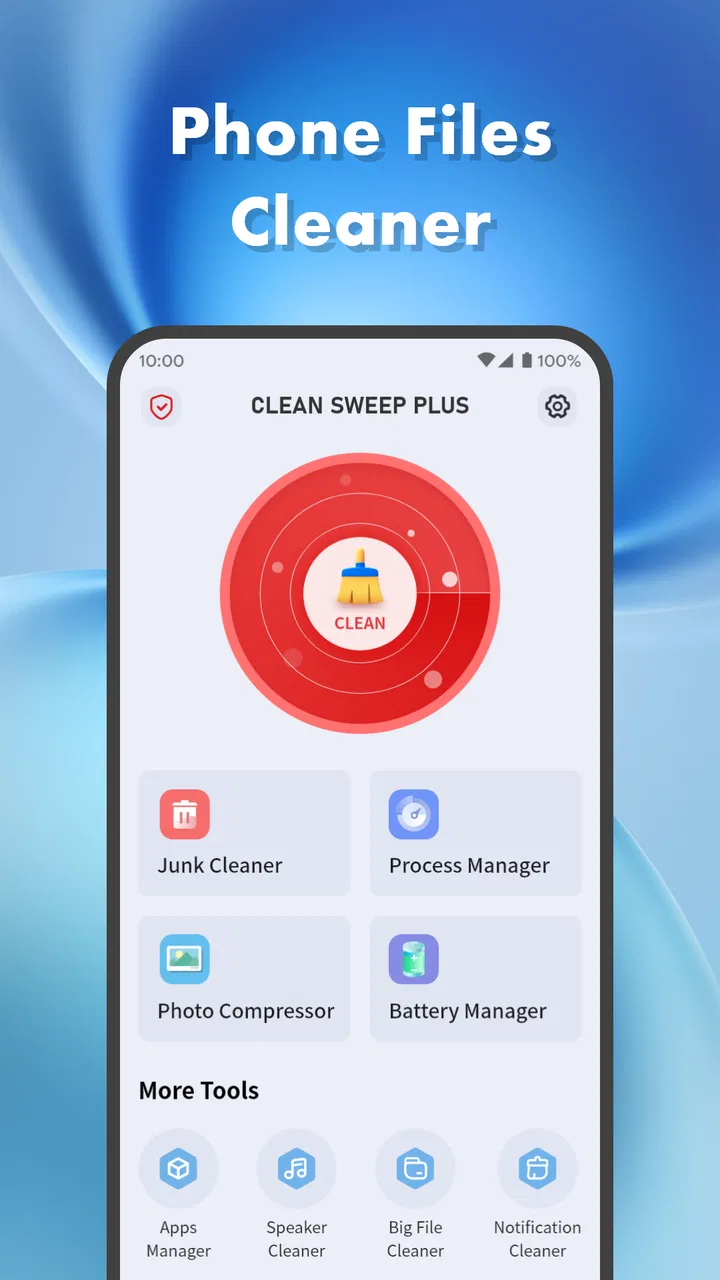
Clean Sweep Plus
- 4.2
- Rating
- 1.00M
- Installs
- Free
- Price

 Analysis by App-foxy
I approached Clean Sweep Plus as a practical phone-maintenance tool rather than an app I would open for entertainment. Its purpose is straightforward: help keep a phone tidy. That sounds simple, but cleaning tools deserve a little more scrutiny than their cheerful buttons suggest because they may interact with personal files, photos, downloads, and other private material. My experience with this app is therefore best judged by two things at once: whether it makes housekeeping easier and whether it leaves me feeling in control of what gets removed.
Clean Sweep Plus is a free tools app from StarOnline, aimed at an Everyone audience. It was released on July 31, 2025, and the current version is 1.1.1. The app has already passed the one-million-install mark, with a 4.4 average from roughly nineteen thousand ratings and about fifteen hundred written reviews. Those figures suggest that the basic idea is appealing to a broad audience, although popularity alone is not a substitute for checking every suggested item before deletion.
How the cleaning experience feels in everyday use
The most useful way to think about this app is as a starting point for a regular phone reset. I would use it when storage begins to feel crowded, when the Downloads folder has become a dumping ground, or when I have accumulated files that were useful once but no longer deserve space. The appeal is not that it replaces every storage setting on Android. The appeal is that it gives the cleanup task a more deliberate focus than simply opening folders at random.
You May Also Like

 Blood Strike: 2.5 Anniversary
Blood Strike’s Loadouts Turn Every Drop Into a Tactical Gamble
A close look at Blood Strike’s custom loadouts: how fast access to signature weapons reshapes its battle royale rhythm, rewards preparation, and narrows the gap between fights.

 Pandora - Music & Podcasts
Pandora’s Music Is Easy to Start, but Harder to Recover
Pandora’s strength is its low-effort path from a seed to a station. Its weak spot is how much confidence it asks you to place in connection, setup, and quiet recovery.

 8 Ball Pool
 Is Built on Rivalries, Rematches, and Routine
A close look at the rivalries, rematches, shared routines, and unanswered safety questions that turn a quick pool match into a persistent mobile community.

 Samsung Music
’s Quiet Strength Is Playing What You Already Own
Its reach comes less from spectacle than from dependable access to a personal library. That simplicity is both the app’s strongest retention engine and its ceiling.

 AccuWeather: Weather Radar
AccuWeather Review: A Quick, Clear Forecast for Everyday Decisions
For everyday plans, the best forecast is the one you can understand quickly. AccuWeather makes rain timing, radar, and local conditions easy to act on, with a few trade-offs.

 Hill Climb Racing
Why Hill Climb Racing Still Turns Crashes Into One More Run
A tiny car, a bumpy hill and one more upgrade: Hill Climb Racing keeps resurfacing because its simple chaos makes every near-miss feel personal.
More From Our News Desk



A realistic example is a phone used for work, messaging, shopping, and travel. Over several weeks, that phone can collect screenshots of payment confirmations, duplicate images sent through conversations, temporary documents, old installation packages, and files saved “just for now.” None of these items seems important individually. Together, they make it harder to find the files that still matter. A tidy-up assistant can help turn that vague feeling of disorder into a session with a clear beginning and end.
I would not treat the first scan as permission to erase everything it presents. The safest workflow is to scan, pause, inspect the categories or file groups, and remove only items I recognize. That extra minute matters because a file can look disposable from its name while still being useful later. A screenshot of a delivery address, a downloaded boarding pass, or an image needed for a return can easily be mistaken for clutter.
One of the app’s practical strengths is its narrow purpose. It is not trying to be a full file manager, photo editor, cloud drive, or backup service. That makes it easier to approach when the only goal is reducing digital mess. I prefer that focused role to an overloaded utility that mixes cleaning with unrelated boosters, news panels, or aggressive reminders.
At the same time, a focused cleaning app has an important limitation: it cannot make judgment calls as well as I can. A phone can identify material that appears old, repetitive, or unnecessary, but usefulness depends on context. A large video may be a duplicate, or it may be the only copy of a family memory. A folder may look abandoned, or it may contain documents needed for a tax appointment. Clean Sweep Plus is most helpful when I use it as a sorting aid, not as an automatic decision-maker.
What I would check before pressing a removal button
My first check would be the location and type of each proposed item. Names matter, but so do folders and file extensions. I would be especially careful with documents, compressed archives, recordings, and anything connected to an app I still use. If the interface groups items together, I would open the group and remove individual files rather than approving a broad category without looking.
My second check would be timing. A cleanup session immediately before a trip, a move, a device reset, or a work deadline is a bad idea because the cost of losing a needed file is higher. I would run the tool when I have time to review results calmly. This is a small habit, but it changes the app from a risky “free space now” button into a controlled maintenance routine.
My third check would be whether the material exists somewhere else. If a photo is backed up or a document is safely stored in another location, removing the local copy may be reasonable. If it is the only copy, I would keep it. The app can support that decision, but it cannot replace a backup habit. Anyone expecting a cleaning tool to protect every personal file automatically should choose a dedicated backup solution instead.
There is also a useful distinction between cleaning for space and cleaning for organization. Removing obsolete files may free room, but it does not necessarily make the remaining files easier to find. I would pair a Clean Sweep Plus session with a quick manual pass through important folders, renaming or moving anything I expect to use again. That combination is more effective than repeatedly deleting random items while leaving the underlying disorder untouched.
Trust begins with what the app is allowed to see
Because this is a phone-cleaning tool, trust is not a decorative extra. The app’s usefulness depends on access to the areas it needs to inspect, so I would pay attention to every permission request shown by the operating system. I would grant only what is necessary for the task I am performing, and I would avoid approving a request reflexively just because the app is offering a convenient scan.
I also recommend reviewing the permission screen again after the first cleanup. Android lets users manage access over time, and a permission that made sense during a scan may not need to remain active indefinitely. If I finish a cleanup session and do not plan to use the app again soon, checking its access from the phone’s settings is a sensible privacy habit.
The important point is not to assume that a cleaning label makes every access request harmless. A tool that handles local files is naturally more sensitive than a simple calculator. I look for clear, visible choices and for a workflow that lets me inspect material before removal. If a screen makes the safest option difficult to find, I slow down rather than accepting the default.
Data practices deserve the same careful treatment. I would read the app’s privacy information and the permission explanations presented on the device, especially before making it part of a regular routine. I would look for understandable language about what is accessed, why it is accessed, whether information leaves the phone, and how any account or support controls work. I do not treat a clean interface or a high rating as proof of a particular data practice.
This is also why I would avoid entering personal information into any optional account or support area unless I understood the benefit. A local cleanup task should not automatically lead me to share more information than the task requires. When an app offers visible choices, I want those choices to be easy to decline and easy to revisit later.
Control matters more than the size of the cleanup
The best cleaning session is not necessarily the one that removes the most. For me, it is the one where I know what changed. I would begin with low-risk clutter, such as files I created as temporary references and no longer need. Only after that would I consider larger or more ambiguous groups. This staged approach reduces the chance of turning a routine maintenance task into a recovery problem.
I would also keep a simple mental record of the session: which category I reviewed, what I intentionally removed, and whether an important app or folder was involved. That may sound overly cautious, but it is useful when something appears missing later. It gives me a clear starting point for troubleshooting instead of leaving me unsure whether the app, another utility, or a manual action caused the change.
Users who share devices with family members should be even more deliberate. A child may save schoolwork in an unexpected folder, while another household member may keep scans or receipts that look like disposable images. I would not run a broad cleanup on a shared phone without asking the other users first. The Everyone age rating makes the app broadly accessible, but it does not remove the need for household rules around personal files.
For people who prefer complete manual control, the standard Android storage tools may be a better fit. They can feel slower, but they make the operating system’s own categories and settings more visible. A dedicated file manager may also be preferable when the main need is moving, renaming, and organizing rather than finding clutter. Clean Sweep Plus makes more sense for someone who wants help narrowing the task, provided that person is willing to review the results.
I would also skip it if my phone is already well organized and has plenty of available space. Installing another utility for a problem I do not have adds maintenance of its own. Likewise, users who need secure document handling, reliable backups, duplicate-photo review with detailed visual comparison, or advanced storage analysis should look for a specialist app designed around that particular job.
Small habits that make the app safer and more useful
My preferred routine would be short and selective. I would start by closing active work, checking that recent downloads are not needed, and making sure important photos or documents have another copy. Then I would review the app’s suggestions in small groups. If a group contains mixed material, I would leave it alone until I could inspect the files individually.
Another useful habit is to clean around a known problem instead of scanning aimlessly. If messaging attachments are filling the phone, I would focus my attention there. If downloads are the issue, I would review that area first. This reduces decision fatigue and makes it easier to notice whether the cleanup actually solved the problem. A general scan can still be useful, but a targeted session is less likely to produce accidental deletions.
I would avoid treating repeated prompts as evidence that another large cleanup is necessary. A phone can generate new temporary files simply through normal use, and a cleaning app may remain useful without needing constant attention. I prefer opening it when storage or organization becomes a real concern rather than allowing any reminder to dictate my schedule.
Finally, I would keep the app updated through the normal store process and check the current version shown on my device. The listed current version is 1.1.1, but version information can change over time. Updates can affect the interface, compatibility, and permission flow, so I would reread the screens after an update instead of assuming that every choice is exactly where it was before.
My cautious verdict on Clean Sweep Plus
I see Clean Sweep Plus as a reasonable convenience tool for people who want help confronting everyday phone clutter without committing to a complicated file-management system. Its free price removes the barrier to trying it, and its large install base and 4.4 average indicate that many users find the basic experience worthwhile. I would recommend it to a friend who regularly postpones cleanup because the phone feels disorganized and the task seems too scattered.
My recommendation comes with a clear condition: stay involved. The app should help me identify possible clutter, while I remain responsible for deciding what is safe to remove. That is especially important for private photos, work documents, downloaded tickets, recordings, and files shared with other people. A clean phone is useful, but recovering an irreplaceable file is far more difficult than leaving one extra item in storage.
From a trust perspective, I would judge the app by the choices visible on my own device: the permissions it requests, the explanations attached to those requests, the clarity of its deletion flow, and the controls available for any optional account or data-sharing behavior. I would not infer more than those screens and policies actually show. That cautious approach is not a criticism unique to this app; it is the right standard for any utility that works near personal files.
In the end, Clean Sweep Plus works best as a guided decluttering assistant, not as a substitute for backups, Android’s own storage settings, or a full file manager. If I use it selectively, review before deleting, and revisit its access controls when I am finished, it can make a neglected maintenance job feel manageable. If I want automatic decisions, deep file analysis, or specialized privacy and backup features, I would choose a different tool. For careful users with ordinary clutter to sort, it is a useful addition, but the most important feature remains the ability to make every deletion a deliberate choice.
FAQs for Clean Sweep Plus
01What is Clean Sweep Plus, and how does it work?
Clean Sweep Plus is a mobile application designed to optimize your device's performance by clearing cache, removing junk files, and managing background processes. It analyzes your phone's storage and RAM usage, providing recommendations to enhance speed and efficiency. The app also offers tools such as battery saver and CPU cooler for comprehensive device maintenance.
02Is Clean Sweep Plus safe to use on my device?
Yes, Clean Sweep Plus is safe to use on both Android and iOS devices. It follows strict security protocols to ensure your data remains private and secure. The app only accesses necessary system files and permissions to perform its optimization tasks, and it does not store or share your personal data.
03Does Clean Sweep Plus affect the performance of my apps?
Clean Sweep Plus is designed to enhance your device’s performance without negatively impacting other apps. By clearing unnecessary cache and background processes, it can actually improve app responsiveness. However, it's always recommended to review the cleaning settings to ensure important app data isn’t removed inadvertently.
04How often should I use Clean Sweep Plus to maintain my device?
For optimal performance, it's recommended to use Clean Sweep Plus at least once a week. Regular cleaning helps prevent the accumulation of junk files and ensures your device runs smoothly. You can also set up automatic cleaning schedules within the app to maintain device hygiene without manual intervention.
05Are there any in-app purchases or subscriptions required?
Clean Sweep Plus offers a free version with essential cleaning features. However, for advanced tools like deep cleaning, real-time monitoring, and ad-free usage, a premium subscription is available. Users can choose monthly or annual plans based on their needs, with the option to cancel anytime through their app store settings.
Pros
- Intuitive user interface
- easy to navigate.
- Efficiently clears cache and junk files.
- Boosts device speed and performance.
- Includes battery optimization tools.
- Ad-free experience for uninterrupted use.
Cons
- Limited features in the free version.
- Occasional false positives with app scans.
- No real-time protection feature included.
- Requires frequent updates for best use.
- Some tools need manual configuration.

Clean Sweep Plus
Gallery